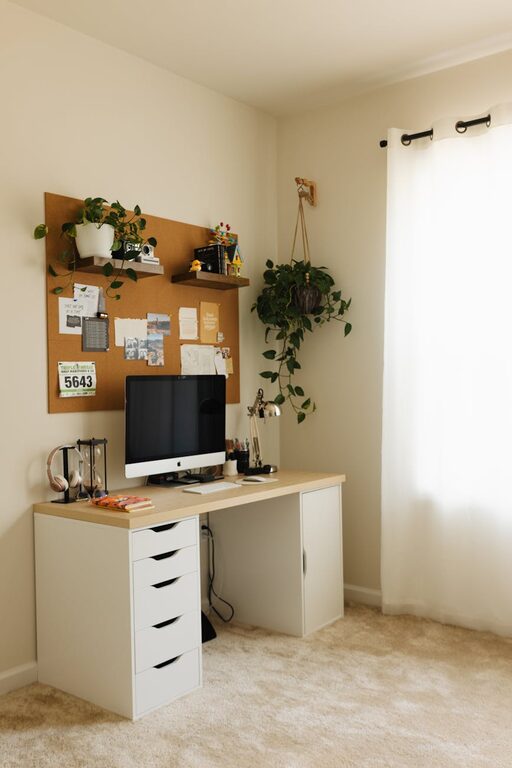

Creating a cozy and inviting home workspace is essential for staying productive and motivated, especially as many people continue to work remotely. A comfortable workspace not only boosts focus but also makes working from home a more enjoyable experience. Whether you have a dedicated room or just a small corner, these tips will help you design a space that feels welcoming and supports your daily tasks.
1. Choose the Right Location
Finding the best spot in your home for work is the first step. Ideally, select a quiet area with minimal distractions. If possible, pick a place near a window for natural light, as it can improve mood and reduce eye strain. Avoid high-traffic zones where noise or interruptions are common.
2. Invest in Comfortable Furniture
Comfort is key when setting up your workspace. A supportive chair with good lumbar support helps prevent back pain during long work hours. Your desk should be at a suitable height to promote good posture. If space allows, consider an adjustable desk that lets you alternate between sitting and standing.
3. Optimize Lighting
Good lighting enhances both comfort and productivity. Natural light is best, so position your desk close to a window. Supplement with task lighting such as a desk lamp with adjustable brightness. Avoid harsh overhead lights that cause glare on screens.
4. Organize with Purpose
A cluttered space can disrupt your focus. Use storage solutions like shelves, drawers, or baskets to keep supplies organized and within reach. Keep only essential items on your desk to maintain a clean and clear work area. Cable organizers can help manage cords neatly.
5. Personalize Your Space
Adding personal touches makes your workspace inviting. Incorporate items that inspire you, such as artwork, photos, or favorite books. Use decorative elements like cushions, rugs, or plants to add warmth and texture. Plants, in particular, can improve air quality and create a calming atmosphere.
6. Control Noise Levels
Noise can be a major distraction. If you can’t escape household sounds, consider noise-canceling headphones or playing background music or white noise to mask interruptions. Adding soft materials like curtains or rugs can also reduce echo and absorb sound.
7. Maintain a Comfortable Temperature
Your comfort depends on a pleasant temperature. Make sure your workspace is well-ventilated and easy to heat or cool as needed. If your room tends to get chilly, keep a cozy blanket or a small heater nearby.
8. Keep Technology Efficient
Ensure your workspace has reliable internet access, and set up all necessary devices ergonomically. Position your monitor at eye level and use a separate keyboard and mouse for better comfort. Keep your gadgets charged and cables tidy.
9. Create a Routine and Break Space
Designate a spot for regular breaks to help you recharge. Even a small area with a comfy chair or cushion can make a difference. Having a routine that includes stepping away from your desk periodically reduces fatigue and refreshes your mind.
10. Regularly Refresh Your Space
Over time, a workspace can feel stale. Change up the décor, rearrange furniture, or add new accessories to keep the environment fresh and inspiring. Regular cleaning and decluttering also maintain a positive and inviting atmosphere.
—
By focusing on comfort, organization, and personalization, you can create a home workspace that not only looks inviting but also supports your productivity and well-being. Small changes can transform your working environment into a space where you enjoy spending time and doing your best work.